
How to check and repair MySQL Databases
You will need know how to check and repair MySQL databases or tables when you troubleshoot your website as they may have become corrupt. The mysqlcheck command is a maintenance tool that can be used to check, repair, analyze and optimize multiple tables from the command line. One of the best features of using mysqlcheck is that you don't need to stop the MySQL service to perform the database maintenance.
In this tutorial, we will show you how to check/repair MySQL databases and tables.
Note : It is recommended to take a backup of your databases before performing a database repair operation.
Basic Syntax of mysqlcheck
A basic syntax of mysqlcheck is shown below:
mysqlcheck [OPTION] DATABASENAME TABLENAME -u root -p
A brief explanation of each option that you can use with mysqlcheck as shown below:
-c : Used to check a table for errors
-C : Used to check a tables that are changed after last week.
-a : Used to analyze tables.
-A : Used to check all databases.
-g : Used to check tables for version-dependent changes.
-B, --databases : Used to specify multiple databases.
-F : Used to check tables that are not closed properly.
–fix-db-names : Used to fix the database name.
–fix-table-names : Used to fix the table name.
-e : Used to perform an extended check.
-r : Used to repair corrupt table.
Check a Specific Table in a MySQL Database
In some cases, you need to check a specific table in a specific database. In that case, you can use the following syntax:
mysqlcheck -c databasename tablename -u root -p
For example, checks authors table in books database by running the following command:
mysqlcheck -c books authors -u root -p
You should get the following output:
books.authors OK
Check All Tables in a MySQL Database
If you want to check all the tables in a specific database use the following syntax:
mysqlcheck -c databasename -u root -p
For example, check all tables in books database by running the following command:
mysqlcheck -c books -u root -p
You should get the following output:
 Enter password:
            books.accountant                                   OK
            books.authors                                      OK
books.writer OK 
Check and Optimize All Tables and All MySQL Databases
You can check all tables and all databases using the following command:
mysqlcheck -c -u root -p --all-databases
Output:
 Enter password:
            books.accountant                                   OK
            books.authors                                      OK
            books.writer                                       OK
            guest.MyGuests                                     OK
            movies.netflix                                     OK
            mysql.columns_priv                                 OK
            mysql.component                                    OK
            mysql.db                                           OK
            mysql.default_roles                                OK
            mysql.engine_cost                                  OK
            mysql.func                                         OK
            mysql.general_log                                  OK
            mysql.global_grants                                OK
            mysql.gtid_executed                                OK
            mysql.help_category                                OK
            mysql.help_keyword                                 OK
            mysql.help_relation                                OK
            mysql.help_topic                                   OK
            mysql.innodb_index_stats                           OK
            mysql.innodb_table_stats                           OK
            mysql.password_history                             OK
            mysql.plugin                                       OK
            mysql.procs_priv                                   OK
            mysql.proxies_priv                                 OK
            mysql.role_edges                                   OK
            mysql.server_cost                                  OK
            mysql.servers                                      OK
            mysql.slave_master_info                            OK
            mysql.slave_relay_log_info                         OK
            mysql.slave_worker_info                            OK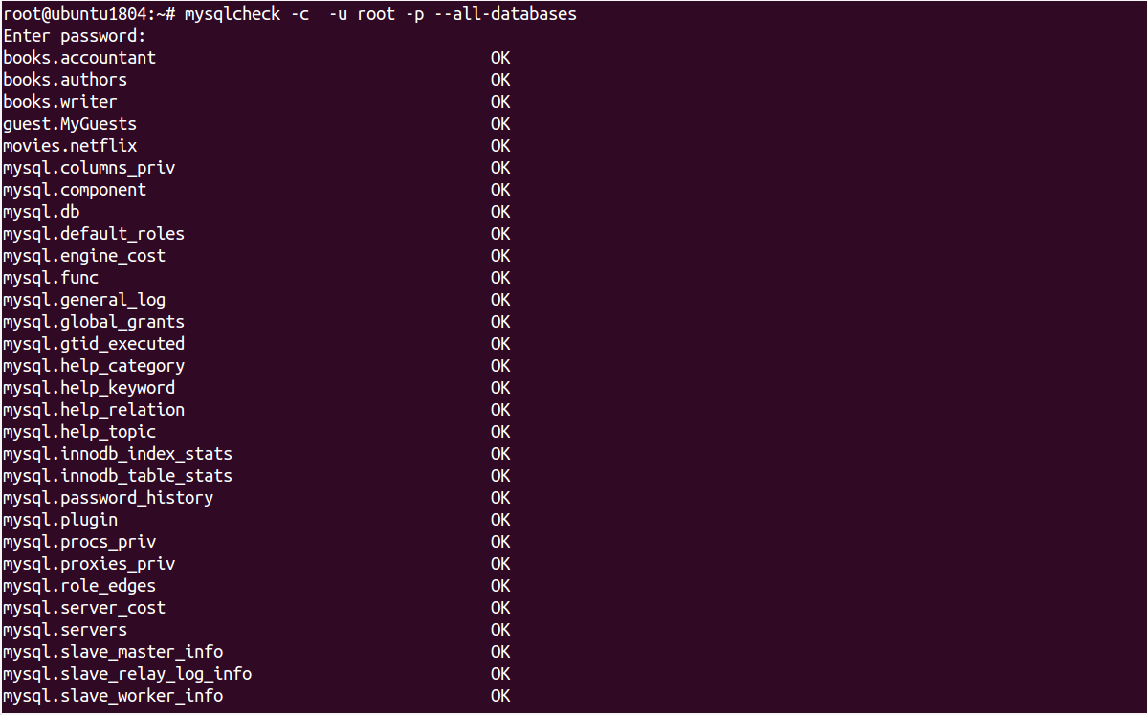
You can optimize all tables and all databases using the following command:
mysqlcheck -o root -p --all-databases
Output:
 Enter password:
            books.accountant
            note     : Table does not support optimize, doing recreate + analyze instead
            status   : OK
            books.authors
            note     : Table does not support optimize, doing recreate + analyze instead
            status   : OK
            books.writer
            note     : Table does not support optimize, doing recreate + analyze instead
            status   : OK
            guest.MyGuests
            note     : Table does not support optimize, doing recreate + analyze instead
            status   : OK
            movies.netflix
            note     : Table does not support optimize, doing recreate + analyze instead
            status   : OK
            mysql.columns_priv
            note     : Table does not support optimize, doing recreate + analyze instead
            status   : OK
            mysql.component
            note     : Table does not support optimize, doing recreate + analyze instead
            status   : OK
            mysql.db
            note     : Table does not support optimize, doing recreate + analyze instead
            status   : OK
            mysql.default_roles
            note     : Table does not support optimize, doing recreate + analyze instead
            status   : OK
            mysql.engine_cost
            note     : Table does not support optimize, doing recreate + analyze instead
            status   : OK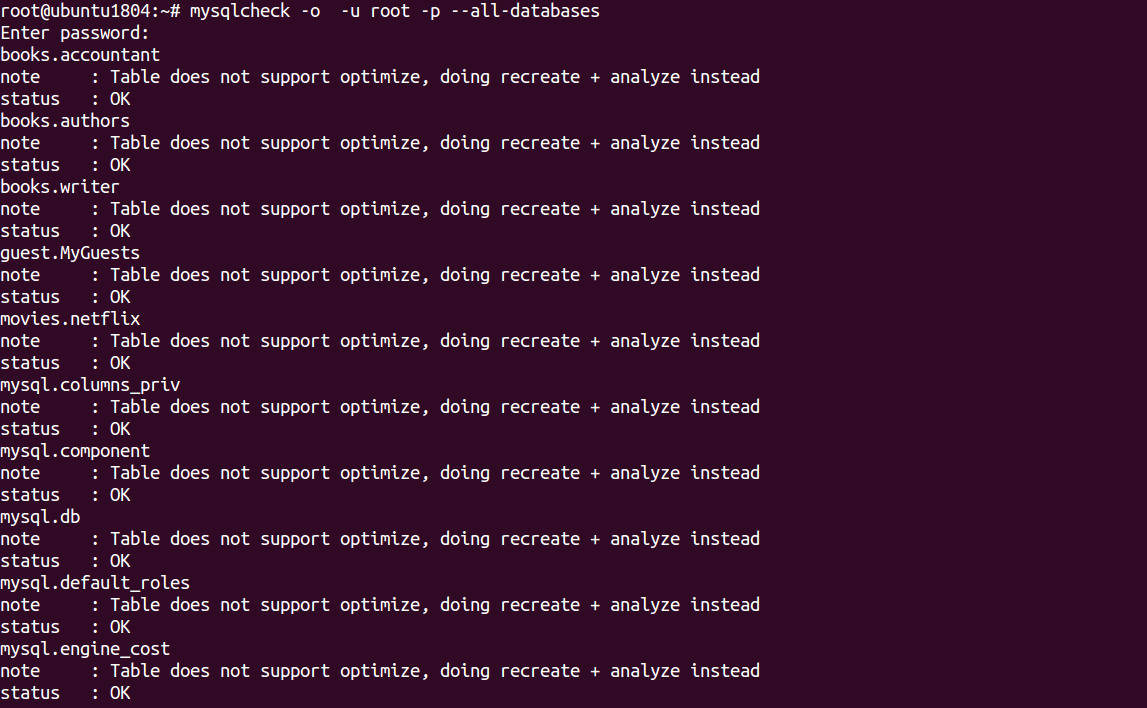
In the above output, you should see "Table does not support optimize" which means the InnoDB table that doesn’t support this option.
Repair MySQL Databases
To repair accountant tables in books database run the following command:
mysqlcheck -r books accountant -u root -p
Output:
 mysqlcheck -r books accountant -u root -p
            Enter password:
books.accountant OK 
To repair all tables in both books and movies database run the following command:
mysqlcheck -r --databases books movies -u root -p
Output:
 Enter password:
            books.accountant                                   OK
            books.authors                                      OK
            books.writer                                       OK
            movies.netflix                                     OK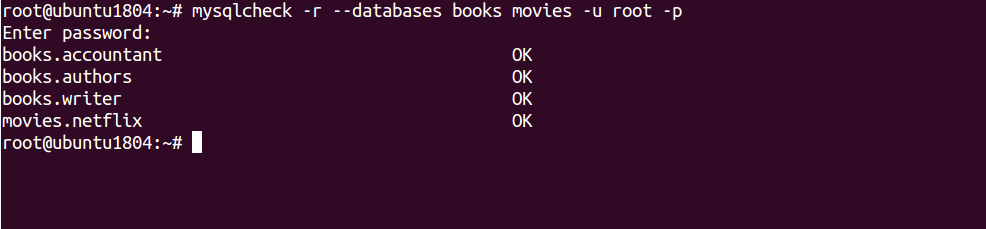
To check and repair all tables in all databases run the following command:
mysqlcheck --auto-repair --all-databases -u root -p
Output:
 Enter password:
            books.accountant                                   OK
            books.authors                                      OK
            books.writer                                       OK
            guest.MyGuests                                     OK
            movies.netflix                                     OK
            mysql.columns_priv                                 OK
            mysql.component                                    OK
            mysql.db                                           OK
            mysql.default_roles                                OK
            mysql.engine_cost                                  OK
            mysql.func                                         OK
            mysql.general_log                                  OK
            mysql.global_grants                                OK
            mysql.gtid_executed                                OK
            mysql.help_category                                OK
            mysql.help_keyword                                 OK
            mysql.help_relation                                OK
            mysql.help_topic                                   OK
            mysql.innodb_index_stats                           OK
            mysql.innodb_table_stats                           OK
            mysql.password_history                             OK
            mysql.plugin                                       OK
            mysql.procs_priv                                   OK
            mysql.proxies_priv                                 OK
            mysql.role_edges                                   OK
            mysql.server_cost                                  OK
            mysql.servers                                      OK
            mysql.slave_master_info                            OK
            mysql.slave_relay_log_info                         OK
            mysql.slave_worker_info                            OK
            mysql.slow_log                                     OK
            mysql.tables_priv                                  OK
            mysql.time_zone                                    OK
            mysql.time_zone_leap_second                        OK
            mysql.time_zone_name                               OK
            mysql.time_zone_transition                         OK
            mysql.time_zone_transition_type                    OK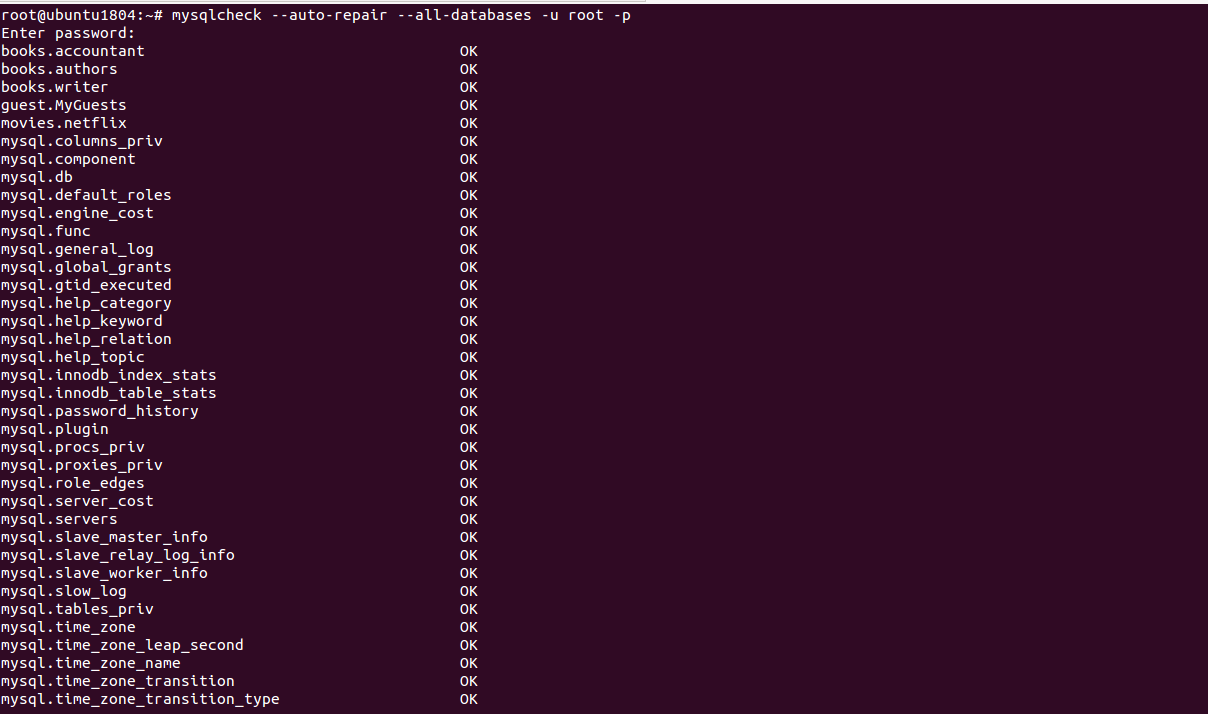
Important note: InnoDB storage engine does not support repair. So you will need to change MySQL storage engine from InnoDB to MyISAM.
Check, Repair and Optimize MySQL Database with PHPMyAdmin
You can also check, repair and optimize tables and databases using the PHPMyAdmin web interface.
You can follow the below steps to check, repair and optimize tables and databases:
1- Open the phpMyAdmin tool through a web browser as shown below:
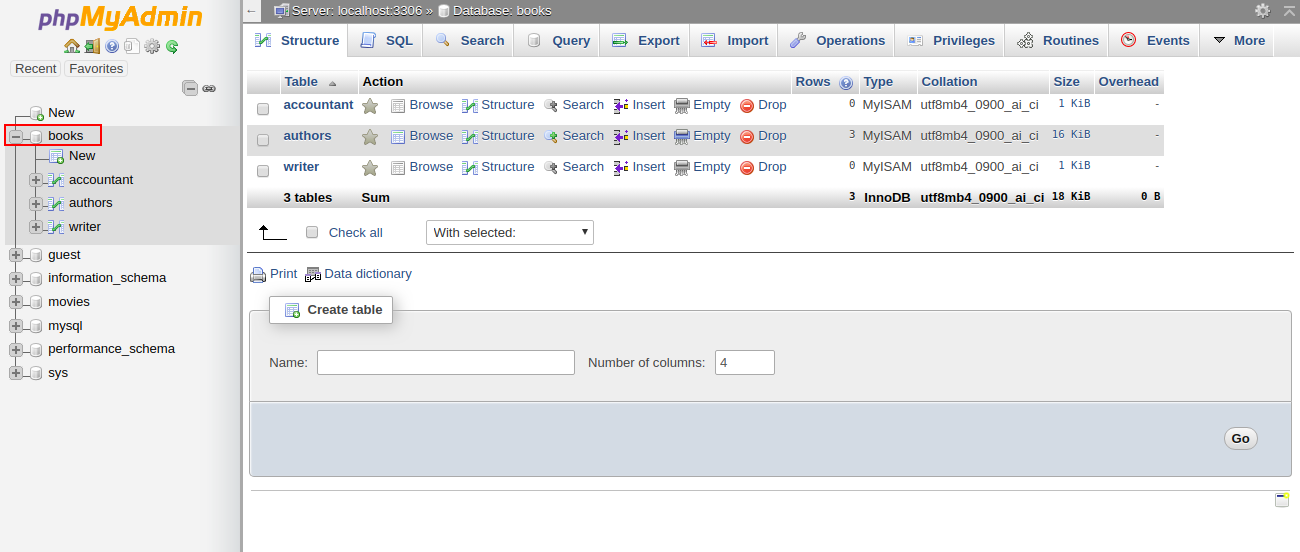
2- Select the affected database in the left pane. You should see all the tables in the right pane in the following screen:
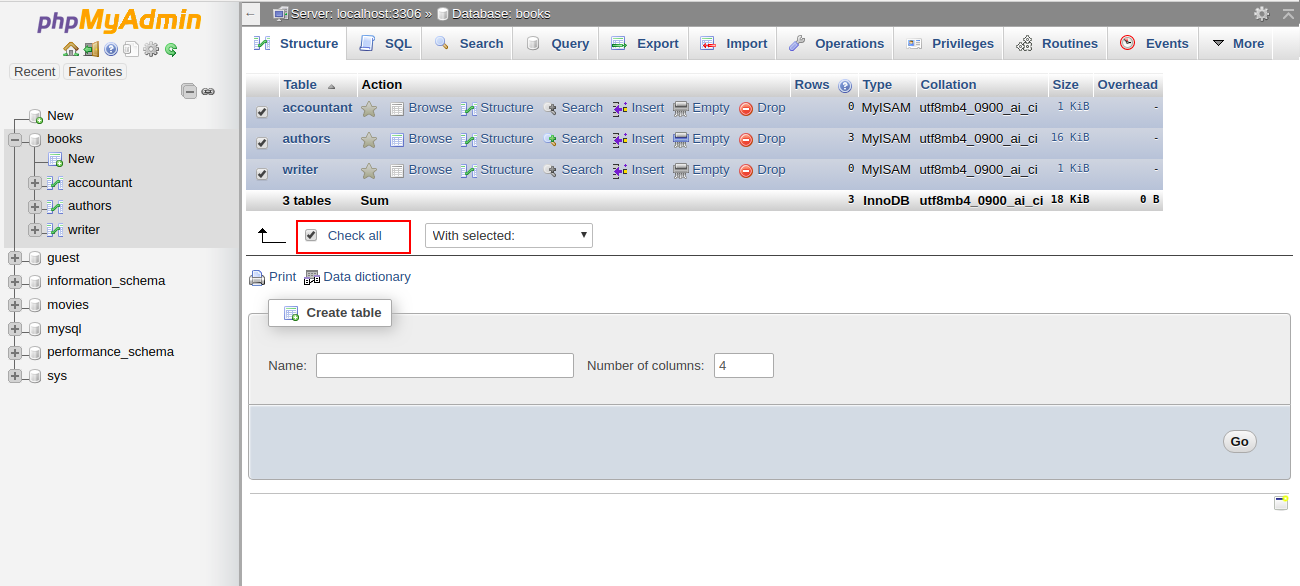
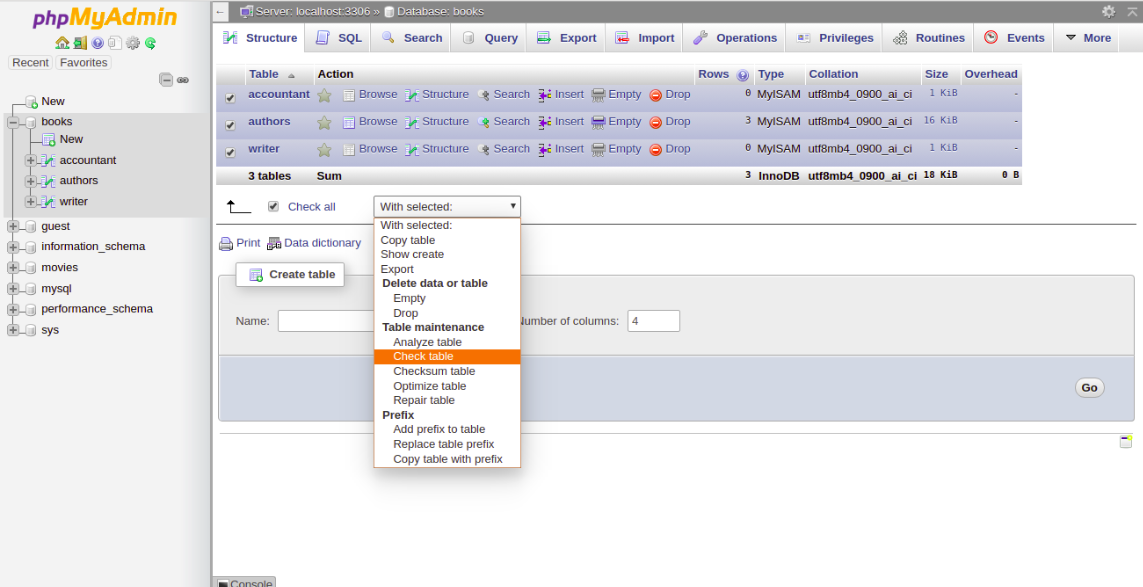
3- Click Check All to select all the tables. At the bottom of the window, choose Check Table from the menu. You should see a summary of the tables in the following screen:
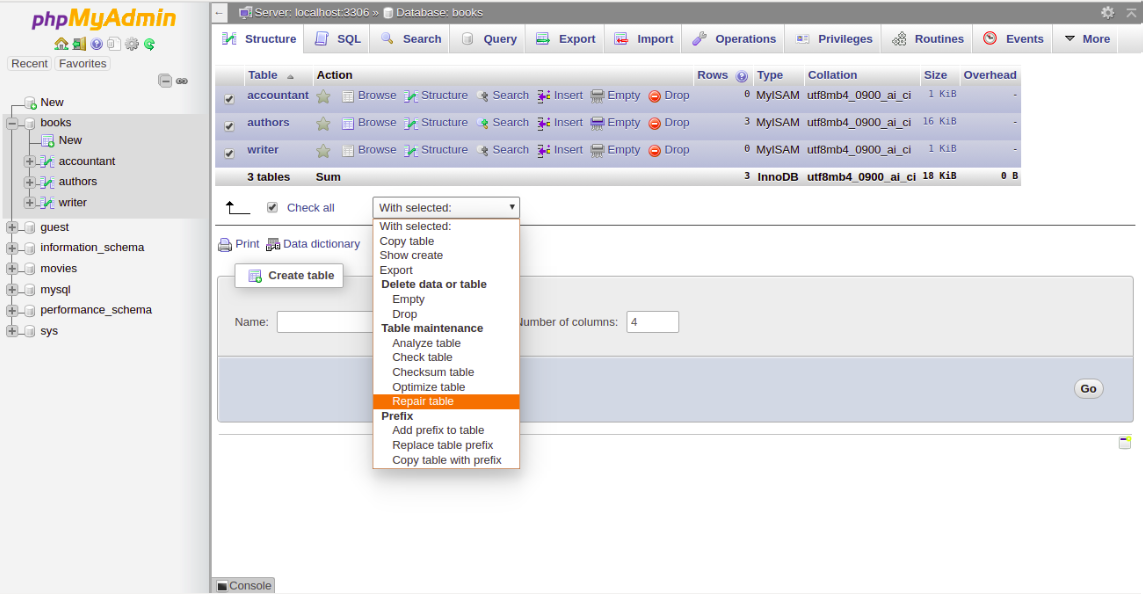
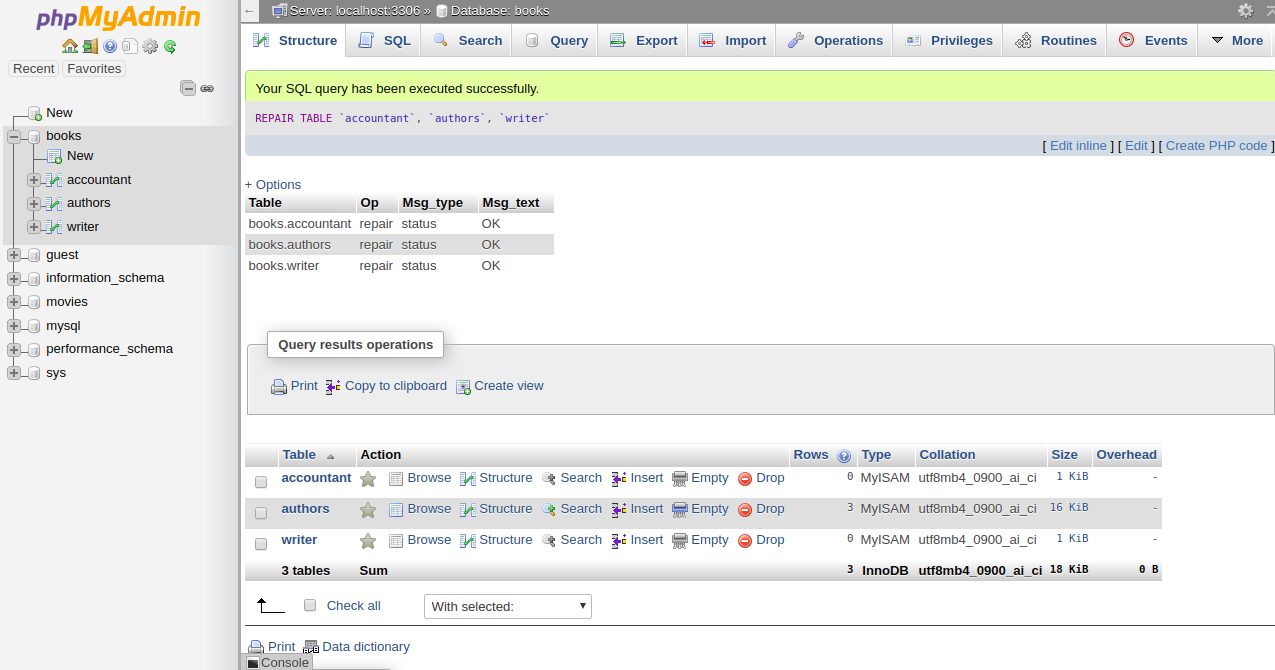
4- To repair the table, Check All to select all the tables and choose Repair Table from the menu. You should see the following page:
Then you should get a confirmation that the command been executed successfully:
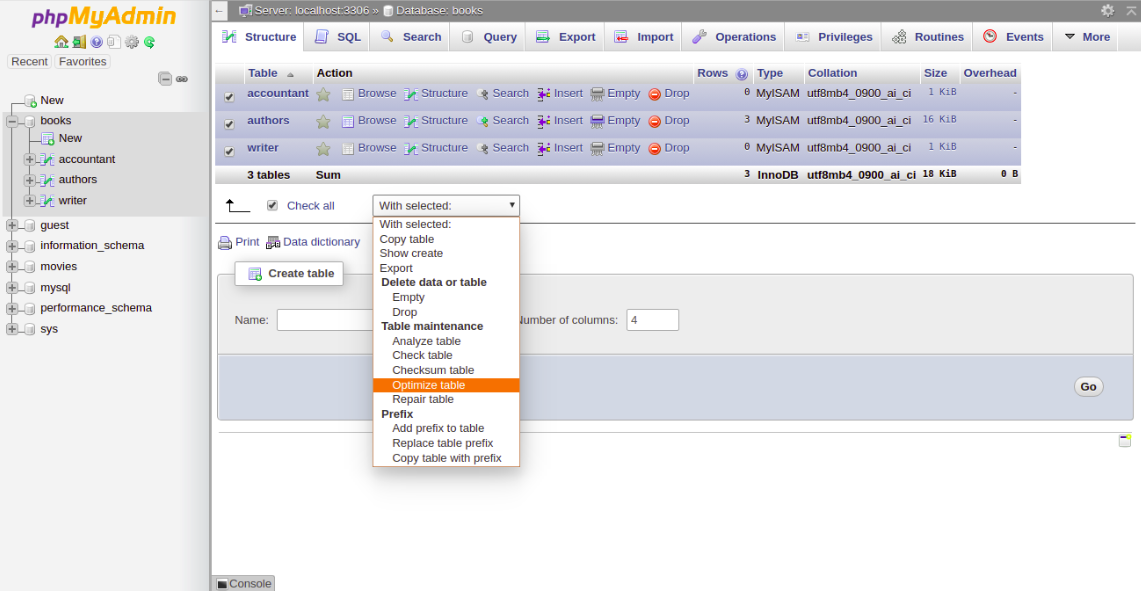
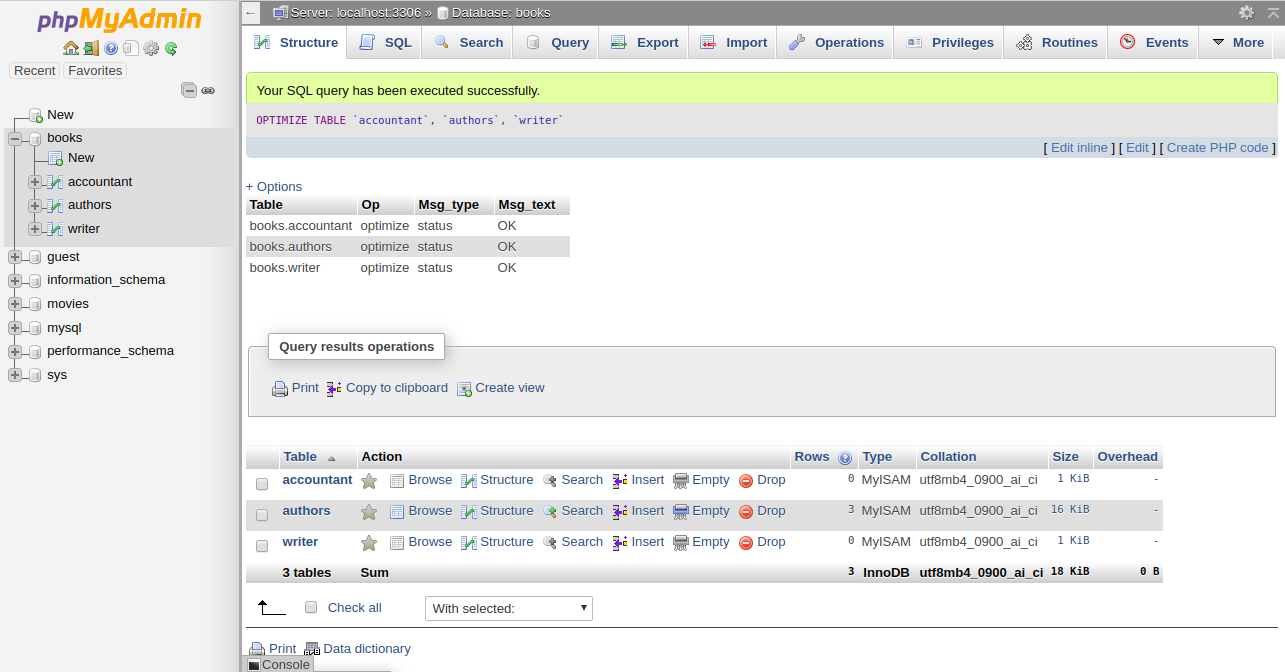
5- To optimize the table, Check All to select all the tables and choose Optimize Table from the menu. You should see the following page:
Then you should get a confirmation that the command been executed successfully:
Conclusion
In the above tutorial, we learned how to check and repair MySQL table using mysqlcheck command-line tool. We also learned how to check, repair and optimize database tables using the PHPMyAdmin web interface. I hope you can now easily fix your corrupted tables using this tool.